

Drawing revision control for coils keeps CAD, PDFs, samples, inspections, quotations, and production records tied to one approved part definition.

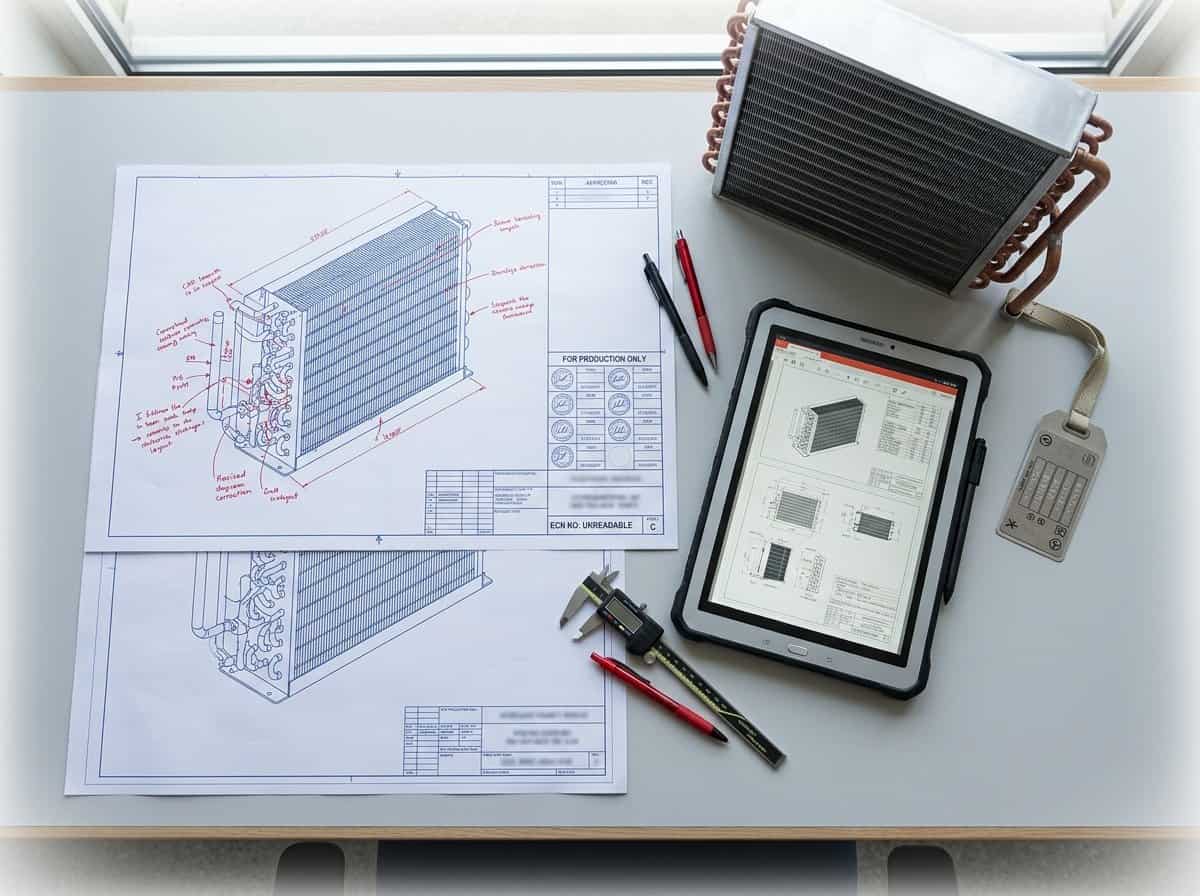
An engineering drawing revision can change a dimension, a material, a circuit, a connection, a coating, a test condition, or only a note. For a refrigeration coil, even a small change can affect tooling, cabinet fit, pressure testing, airflow, defrost, packaging, and the supplier’s quotation. If the revision is not controlled, the team may approve a sample against one file and purchase production against another.
The risk grows when several suppliers or production locations are involved. A file that is obvious to one engineer may be ambiguous to a buyer receiving a shipment months later, so the control method must work without personal memory.
This guide explains drawing revision control for coils in a way that engineering, procurement, quality, production, and suppliers can use together. It is aimed at OEM refrigerator and freezer programs, but the same approach applies to commercial refrigeration and custom heat exchanger projects.
The goal is not to create paperwork for its own sake. The goal is to answer a practical question at any time: which part definition was quoted, sampled, tested, approved, shipped, and received? Domi’s OEM refrigerator and freezer coil solutions provide the application context. This article focuses on the document trail that keeps the application and the physical part aligned.
Why drawing revision control for coils matters
Coils are assemblies with several interfaces. A revision that seems local can affect the rest of the system.
A change can move through several teams
Consider a new outlet location. Engineering updates the CAD model. Sourcing receives a new quotation. The supplier changes a forming or brazing fixture. Quality changes the inspection point. Production changes the tube routing. The appliance factory changes the braze instruction. Service updates the replacement part record.
If one team misses the revision, the part family now has two definitions. The failure may not appear until a sample is installed or a shipment reaches the factory.
The ASME Y14.35 revision standard page describes practices for revising engineering product definition datasets and associated documents and for identifying and recording changes. An OEM does not need to copy the entire standard to benefit from its basic discipline. The drawing, related files, and change record should tell the same story.
Revision control protects more than the PDF
The controlled package can include:
- Native CAD and neutral 3D model.
- Released PDF drawing.
- Material and finish specification.
- Connection and brazing notes.
- Inspection plan and test procedure.
- Approved sample report.
- Supplier quotation and exception list.
- Packaging and label specification.
- Purchase order or release schedule.
- Photos or measurement records for special features.
An old PDF is not the only risk. A correct PDF paired with an old test plan is also a revision problem.
Define the revision question
Before releasing a change, write what the change is meant to solve. Examples include improving cabinet fit, changing refrigerant, reducing pressure drop, replacing a coating, correcting a bracket, or removing a non-critical feature. The reason helps reviewers judge whether the change is complete.
The minimum revision system
A practical drawing revision control for coils system needs a controlled identifier, a change description, an approval state, and a clear way to distribute the released package.
Use a stable part number
Keep the part number tied to the physical design family. Use the revision to identify changes unless the change creates a genuinely different service or commercial part. Do not create a new part number for every small note correction, but do not hide a major connection or material change under the same approved revision.
The rules should explain what requires a new part number and what requires a new revision. Engineering, sourcing, quality, and service should agree before a large program begins.
Use a revision code that is easy to read
Choose a simple scheme such as letters or numbers and use it consistently. Avoid a system where one team calls a sample “Rev C” while the supplier calls it “Version 3” and the ERP record calls it “Issue 04.” A mapping is possible, but it creates another failure point.
The revision should appear in:
| Location | Required information |
|---|---|
| Drawing title block | Part number, revision, date, and approval |
| File name | Part number and revision in a consistent order |
| CAD model property | Controlled part number and revision |
| Sample label | Part number, revision, and sample identifier |
| Test report | Sample identifier and drawing revision |
| Quotation | Quoted part number and revision |
| Purchase release | Part number, revision, and effective date |
Write a useful change description
“Updated drawing” is not enough. A useful description states the changed feature and the reason. For example: “Moved outlet centerline 6 mm to clear cabinet side panel. Updated bracket datum and brazing access note.” The description should help a reviewer understand the effect without comparing every line of two drawings.
Keep status separate from revision
Revision says which definition it is. Status says whether it is in work, under review, released for prototype, approved for pilot, or released for production. Do not use a draft file with a production-looking revision as if it were an approved part.
What changes require a new coil revision
The safest rule is to create a revision when a change can affect form, fit, function, safety, quality, or the commercial basis. The change may be large or small on the page.
Geometry and fit changes
Create a revision for changes to length, width, height, row count, fin pitch, tube spacing, header location, bracket position, drain, mounting hole, connection orientation, or keep-out zone. A dimension can be non-critical for heat transfer and still be critical for cabinet assembly.
Thermal and system changes
Create a revision when circuiting, tube size, refrigerant, operating condition, airflow assumption, capacity target, pressure-drop limit, superheat, subcooling, or defrost condition changes. A new refrigerant can affect safety, pressure testing, materials, and control assumptions.
The ASHRAE refrigeration resources page describes Standard 34 for refrigerant designation and safety classification and Standard 15 for refrigeration system safety. Use the relevant system requirements when deciding whether a refrigerant change needs a new validation plan, not only a new note on the drawing.
Material and process changes
Create a revision when tube, fin, header, bracket, coating, joint process, cleanliness, end treatment, or pressure-test method changes. A supplier substitution is not invisible just because the outside dimensions remain the same.
The EPA refrigerant safety page identifies toxicity, flammability, asphyxiation, and physical hazards as possible refrigerant risks and points users toward safety data and risk information. A material or process change should be checked against the intended refrigerant and system risk, especially when the change affects joints or handling.
Documentation-only changes
Some corrections do not change the physical part, such as spelling, a reference number, or a non-technical formatting error. Your procedure may allow a document correction without a full validation cycle, but record the reason and confirm that no physical or test requirement moved. A documentation-only change still needs controlled distribution.
Keep a complete revision package
The drawing is only one item in the release package. A supplier should receive a package that can be opened, understood, quoted, built, inspected, and traced.
File naming and folder structure
Use a consistent folder for each part or family. A practical structure might contain:
01_Released_Drawing02_CAD03_Specifications04_Test_Requirements05_Inspection_Records06_Quotes_and_Exceptions07_Change_History
The exact folders can differ. The important rule is that a supplier or internal reviewer can find the released package without searching through personal email folders.
Link the related documents
The drawing should reference the material specification, test procedure, coating requirement, and inspection plan by controlled identifier. The test report should repeat the drawing revision. The quotation should repeat the same part and revision. If a document is not controlled, label it as reference only.
Use a release manifest
Add a one-page manifest with file name, revision, date, owner, and status. The manifest helps the supplier confirm that the package is complete and gives quality a quick check when a sample arrives.
| File | Revision | Status | Owner |
|---|---|---|---|
| Controlled PDF drawing | C | Released for prototype | Engineering |
| Native CAD model | C | Released for prototype | Engineering |
| Coil material specification | B | Released | Engineering and quality |
| Leak-test procedure | A | Released for sample | Quality |
| Packaging instruction | Draft | For supplier proposal | Operations |
The manifest is not a replacement for a document-control system. It is a practical handoff tool that makes missing or mismatched files easier to see.
Review and approve a revision
Revision control works when the review follows the change, not when the change is only recorded after production begins.
Review by affected function
Route the change to the people who can be affected:
- Engineering for duty, fit, material, circuiting, and tolerance.
- Manufacturing for tools, joints, work instructions, and cycle time.
- Quality for inspection, tests, records, and deviation handling.
- Sourcing for price, MOQ, lead time, and supplier capacity.
- Operations for packaging, labeling, shipping, and receiving.
- Service for replacement part identification and backward compatibility.
Not every small change needs every approver. The change record should show who reviewed it and why the route was selected.
Add an impact checklist
Ask whether the revision affects the following:
| Area | Review question |
|---|---|
| Fit | Do mounting, clearance, drain, or connection interfaces move? |
| Function | Does capacity, airflow, pressure drop, frost, or defrost change? |
| Safety | Does refrigerant, pressure boundary, material, or handling change? |
| Process | Do tooling, joining, cleaning, coating, or inspection change? |
| Commercial | Do material, tooling, MOQ, price, lead time, or packaging change? |
| Records | Do test reports, certificates, labels, or service documents change? |
The checklist creates a pause before a change is treated as a drawing edit only.
Define effective date and old stock
State when the new revision becomes effective and what happens to work in process, finished goods, samples, and material already purchased. The answer may be immediate conversion, exhaustion of old stock, a mixed period with labels, or a last-time buy. Put the decision in the release record.
Confirm supplier receipt
Ask the supplier to acknowledge the complete package, not only the PDF. The acknowledgement should repeat the part number, revision, files received, open questions, and expected effective date. If the supplier has a controlled document portal, use it. If email is the only route, keep the message and attachments in the project record.
Trace samples, inspections, and production
The test record is where drawing revision control for coils becomes physical traceability.
Label every sample
The sample label should show part number, revision, supplier or build identifier, date, and any special condition such as substitute material or temporary fixture. A photograph of the label belongs in the sample record.
Connect the report to the part
The report should identify the sample, drawing revision, test plan revision, input conditions, results, deviations, and approval status. A report titled only “coil test” will not help after several revisions.
Protect mixed-revision inventory
If old and new revisions can exist together, separate them physically and in the ERP or inventory record. Use different labels and release instructions. Do not rely on a visual difference that may disappear after installation.
Reference production controls
The ISO 9001 quality management overview describes documented information, process control, measurement, and improvement as parts of a quality management system. In a coil program, that can mean linking the released drawing to the inspection plan, work instruction, test record, and release decision. The exact system can be simple if it is consistent.
Digital systems and supplier handoff
An electronic product-data system can help, but it does not fix unclear ownership. A well-named folder can outperform a complex system if the revision rule is understood and followed.
Keep one source of truth
Choose where the released file lives. Do not let a supplier treat the latest email attachment as the master if the organization has a controlled repository. If the supplier must use a portal, keep the transfer record internally.
Control exported formats
PDF, STEP, DXF, and native CAD files may not carry the same revision metadata. Check that the part number and revision match after export. If the PDF and CAD geometry differ, stop the release until the mismatch is resolved.
Control supplier-created documents
Suppliers may create nesting layouts, process drawings, fixture drawings, inspection forms, and packaging sketches. Link those documents to the buyer’s part and revision. They are part of the production definition when they control how the coil is built or accepted.
Classify changes before choosing the approval route
Not every change has the same risk. A practical change classification helps the team route the revision without either over-reviewing a typo or under-reviewing a new pressure boundary.
Class A: physical or performance change
This class includes dimensions, materials, circuiting, connections, row count, fin pitch, coatings, joint process, pressure test, airflow basis, refrigerant, and any feature that can affect fit, function, safety, or validation. These changes normally require engineering review, supplier impact review, and a defined sample or test action.
Class B: process or record change
This class includes inspection frequency, packaging, label format, work instruction, report format, or a supplier fixture that does not change the approved part. The change may still affect quality or delivery, so quality and operations should review it. A pilot check may be appropriate if the process risk is new.
Class C: editorial correction
This class includes a spelling correction, a broken cross-reference, or a layout adjustment that does not change a requirement. A responsible engineer should confirm that the correction is truly editorial. Record the correction and keep the release history; a small change can become confusing if people cannot tell why the revision moved.
Build the approval route from impact
Use the classification as a starting point, then adjust it when the part’s application is sensitive. A small coating note may need more review on a salt-exposed condenser than on an indoor laboratory prototype. A bracket dimension may need more review when the cabinet has a narrow opening.
The route can be shown in a compact matrix:
| Change type | Engineering | Supplier | Quality | Sourcing | New sample or test |
|---|---|---|---|---|---|
| Connection or pressure boundary | Required | Required | Required | Required if price changes | Usually required |
| Bracket or envelope | Required | Required | As affected | As affected | Fit check |
| Material or coating | Required | Required | Required | Required | Material or performance review |
| Inspection frequency | As affected | Required | Required | As affected | Process evidence |
| Packaging or label | As affected | Required | Required | Required | Packaging check |
| Editorial correction | Owner review | Acknowledge | As needed | As needed | Not normally |
This matrix does not replace engineering judgment. It makes the expected conversation visible to the team and the supplier.
Set a revision release cadence
Some programs issue a new revision for every change. Others collect minor changes into a scheduled release. Both approaches can work if the team controls the interim state. Do not collect a safety or pressure-boundary change until the next monthly release merely to reduce revision count.
For active prototypes, a short review cadence may be useful. Review open changes at the end of each build, then issue a clean release before the next sample. For stable production, use a formal change notice with an effective date and stock disposition.
Connect revision to quotation validity
A supplier quote is tied to a part definition. If the revision changes after the quotation, ask whether material, tooling, labor, test, packaging, or lead time changes. Keep the old quote in the record, but label it as applicable to the previous revision. A new price is easier to evaluate when the affected feature is written down.
Keep sample evidence after approval
Do not discard the first approved sample record when a later revision becomes current. Keep the old report with its revision and disposition. The history helps service, quality, and engineering understand why a part changed and whether old inventory can be used.

The supplier gate before production release
Before the purchase order or scheduled release is issued, run a final supplier gate. The gate should be short enough to use and strict enough to catch a mismatch.
Confirm the package
Ask the supplier to list the files on hand and compare them with the release manifest. Confirm that the PDF, CAD, specifications, test procedure, inspection plan, packaging instruction, and approved deviation list use the same part number and revision. If the supplier is using a customer portal, save the receipt or acknowledgement.
Confirm the physical sample
Compare the sample label, inspection report, and approved photos. Check that any temporary prototype condition has been removed or formally carried forward. If a part was accepted with a deviation, make sure the deviation is visible on the production instruction or closed by a new revision.
Confirm the commercial record
Ask sourcing to verify that the quotation, purchase order, MOQ, tooling, price validity, delivery date, and packaging all reference the approved revision. A technical release and a commercial release should point to the same part. If the price is still based on an earlier revision, stop the release and request a re-quote.
Confirm the next change path
The release gate should also identify who can approve the next change, where the change request will be stored, and which supplier contact must acknowledge it. This is the part that keeps drawing revision control for coils working after the first production order instead of letting the process return to informal email.
If the supplier cannot confirm one file or one effective date, leave the release open. A short delay is easier to manage than mixed-revision inventory, an untraceable sample, or a production line that has to guess which connection layout is current.
Record the final acknowledgement with the purchase release. That gives quality and service a clear starting point if a question appears after shipment and makes the next revision easier to audit.
The AHRI 410 performance-rating page is another useful reminder to bind a test record to its scope and input conditions. Its listed exclusions include several frosting, microchannel, bare-tube, and refrigerant configurations, so the release package should state the project-specific rating method when the coil falls outside that scope. A drawing revision is not complete until the team knows which performance record still applies, which result must be repeated, and which values are no longer comparable. Keep that decision beside the revision history so a later buyer or auditor can follow the same logic.
Common revision failures
The CAD file is newer than the released PDF
The designer made a change in CAD but did not release a matching drawing. The supplier builds from the wrong definition. Lock exports to the release process.
The quotation uses an old revision
The buyer updates the drawing after the supplier quotes but does not request a re-quote. The purchase order then carries the old price and the new part. Require revision confirmation in every quote.
The sample label has no revision
The test report cannot be tied to a definition. Use a label or sample card with part, revision, date, and build number.
A supplier exception becomes an unapproved design
An email says “we can use another bracket” and the production part follows it. Record the exception, approve it, and update the drawing if it becomes permanent.
Service records are not updated
Production changes the connection or mounting feature but service keeps the old replacement record. Include service in the impact review when the change affects fit or interchangeability.
FAQ: drawing revision control for coils
What is drawing revision control for coils?
Drawing revision control for coils is the process of identifying, reviewing, approving, distributing, and tracing changes to coil drawings and related documents. Bottom line: every sample, quote, test, and production release should point to one approved revision.
What should appear in a coil revision table?
Include revision, date, change description, reason, author, reviewer, and approval. For significant changes, add affected documents and validation action. Bottom line: write enough detail that another engineer can understand the change without comparing every line.
Does a connection change require a new revision?
Yes, a connection change normally needs a new revision because it can affect fit, brazing, pressure testing, cabinet assembly, and service. Bottom line: treat connection location and type as controlled characteristics.
Can a document-only correction skip prototype testing?
It may skip physical testing if the correction truly does not change the part, process, or acceptance requirement and the procedure allows it. Record the reason and review. Bottom line: document-only status must be a reasoned decision, not an assumption.
How do I control CAD and PDF revisions together?
Use one part number and revision in the title block, file name, metadata, release manifest, and repository. Release the CAD and PDF as one package. Bottom line: never let the latest CAD file become an unofficial production definition.
How should suppliers acknowledge a new revision?
Ask the supplier to confirm part number, revision, files received, open questions, effective date, and impact on tooling, material, price, lead time, and inventory. Bottom line: acknowledgment should cover the package, not only the attachment name.
What happens to old coils after a revision?
The change record should state whether old stock is used, reworked, segregated, returned, or scrapped. If the old and new parts are interchangeable, document that decision. Bottom line: revision release should include an inventory disposition.
Which standard helps with drawing revisions?
ASME Y14.35 is a useful reference for revision practices for engineering product definition datasets and associated documents. A company may use its own procedure, but it should still identify and record changes consistently. Bottom line: use a recognized framework and adapt it to the actual workflow.
Make the approved part easy to identify
Strong drawing revision control for coils is visible in the quotation, sample label, inspection report, purchase release, and production record. It does not depend on one engineer remembering which email had the latest attachment. Keep the part number, revision, effective date, and related documents connected.
For a project review, connect the drawing package to Domi’s manufacturing process, quality documents, and heat exchanger testing laboratory. Send the current package and identify which revision is causing uncertainty.
When a customer or supplier asks which file controls, the answer should be a path to the released package and a revision, not a guess based on file dates. That is the simple standard to keep in mind.
How to close a revision without creating a second truth
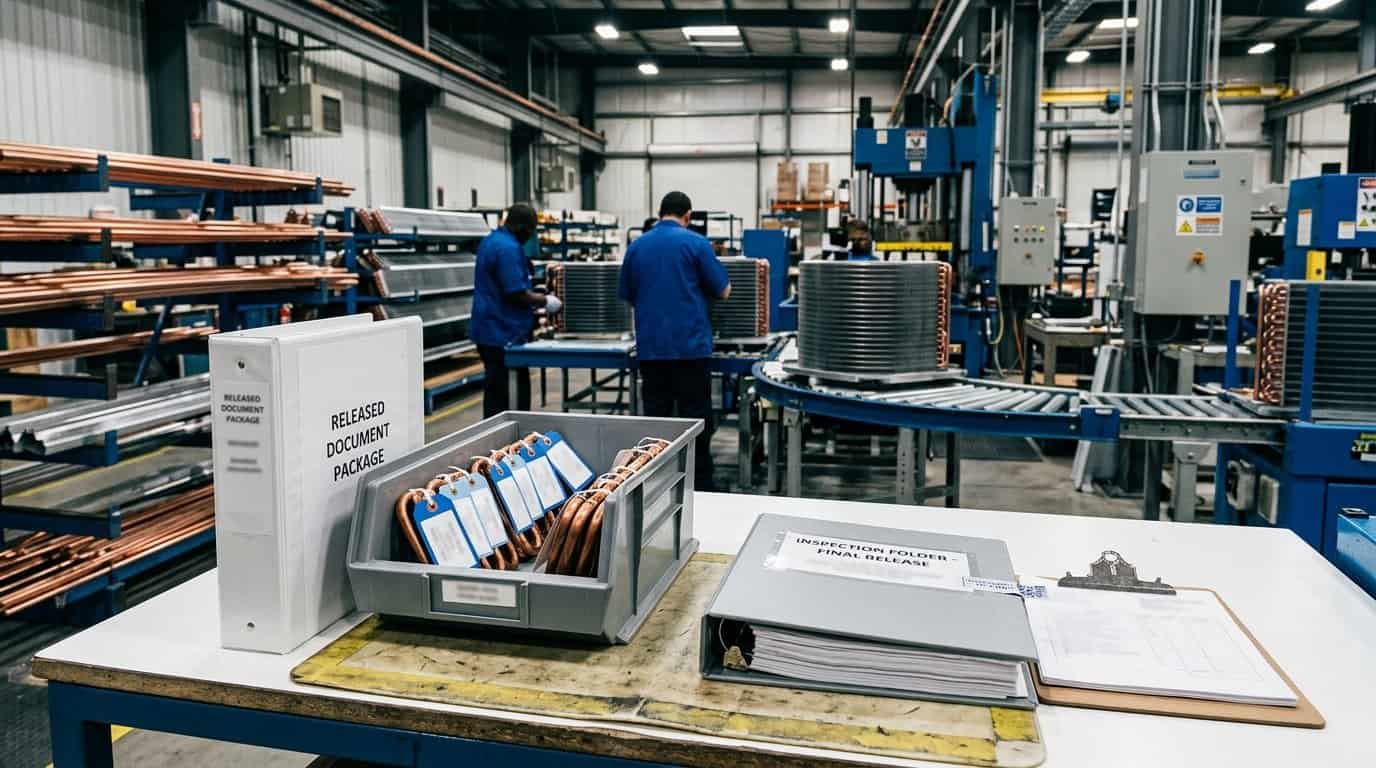
Drawing revision control for coils is complete only when the released drawing, supplier quotation, sample, inspection record, and production order all point to one approved state. The closing check should be short enough to use every time, but specific enough to expose a mismatch.
Confirm the file set before release
List the controlled CAD file, released PDF, neutral model if used, specification, bill of materials, inspection plan, and sample identifier. Check that the revision and date agree across the files. If a drawing change affects circuiting, connections, material, bracket position, drain details, or testing, identify the affected documents and state whether a new sample is required. Do not archive a marked-up review copy as if it were the production drawing.
Confirm the supplier and buyer acknowledgement
The supplier should acknowledge the new revision and identify any work already in process. The buyer should state whether the change applies to new samples, open purchase orders, finished inventory, service parts, or all of them. Quality should confirm the inspection evidence that will be used at receiving. These acknowledgements can be brief, but they should be stored with the release record instead of remaining in separate email threads.
Confirm the first production trace
Select one production or pilot record and verify that the part label, inspection sheet, order line, and released drawing resolve to the same revision. If the first release uses temporary tooling or a controlled deviation, record the expiry or close-out condition. This final trace turns revision control into an operational check rather than a document exercise. It also gives a future buyer or auditor a practical example of how the change was implemented.
Keep the close-out record usable for service and replacement work as well. A service buyer may see a part months after the original release and may not have access to the meeting thread that approved the change. The package should show the superseded revision, the effective date, and any inventory instruction that still applies. If the change affects only a bracket or connection, say so clearly. If it changes the performance basis, identify the test record that replaces the previous one. This small amount of context helps the next person make a correct decision without reopening the entire history.